Lumora Games
Every support ticket, on every server, in one place
A game studio whose player support was scattered across Discord DMs and channels now handles every ticket, on both its servers, through one Discord bot and a web dashboard with AI summaries.
- Client
- Lumora Games
- Sector
- Gaming & online communities
- Location
- Tokyo, Japan
- Services
- Web design, Web development, Discord bot, AI integration
- Year
- 2025
01Overview
Player support for two Discord servers, handled where the players already are.
Lumora Games is an independent game studio with two Discord servers: Lumora Community, the main player community, and Lumora Gaming Hub. All of its player support happens on Discord, from game bugs and billing problems to reports about other players and role requests.
The studio wanted a ticket system inside Discord, where its players already are, and somewhere staff could manage the whole queue outside it. The team works in English and Japanese. The studio's name has been changed on this page.
- A Discord ticket bot for every server
- One conversation across Discord and the web
- A staff dashboard with live updates, analytics and exports
- AI ticket summaries and a staff assistant
- English and Japanese, in light and dark mode
02The challenge
Support lived in DMs and busy channels, and nothing stayed put.
Requests arrived as direct messages to moderators or as posts in public channels. They were easy to lose, and nothing was kept once they scrolled away.
Nobody could see who was handling what, so some players got two answers and some got none. Each server was run on its own, with no view across both, and there were no numbers at all: no count of open tickets, no response times, and no sense of who was carrying the load.
03Tickets in Discord
One button in Discord opens a private channel with the staff.
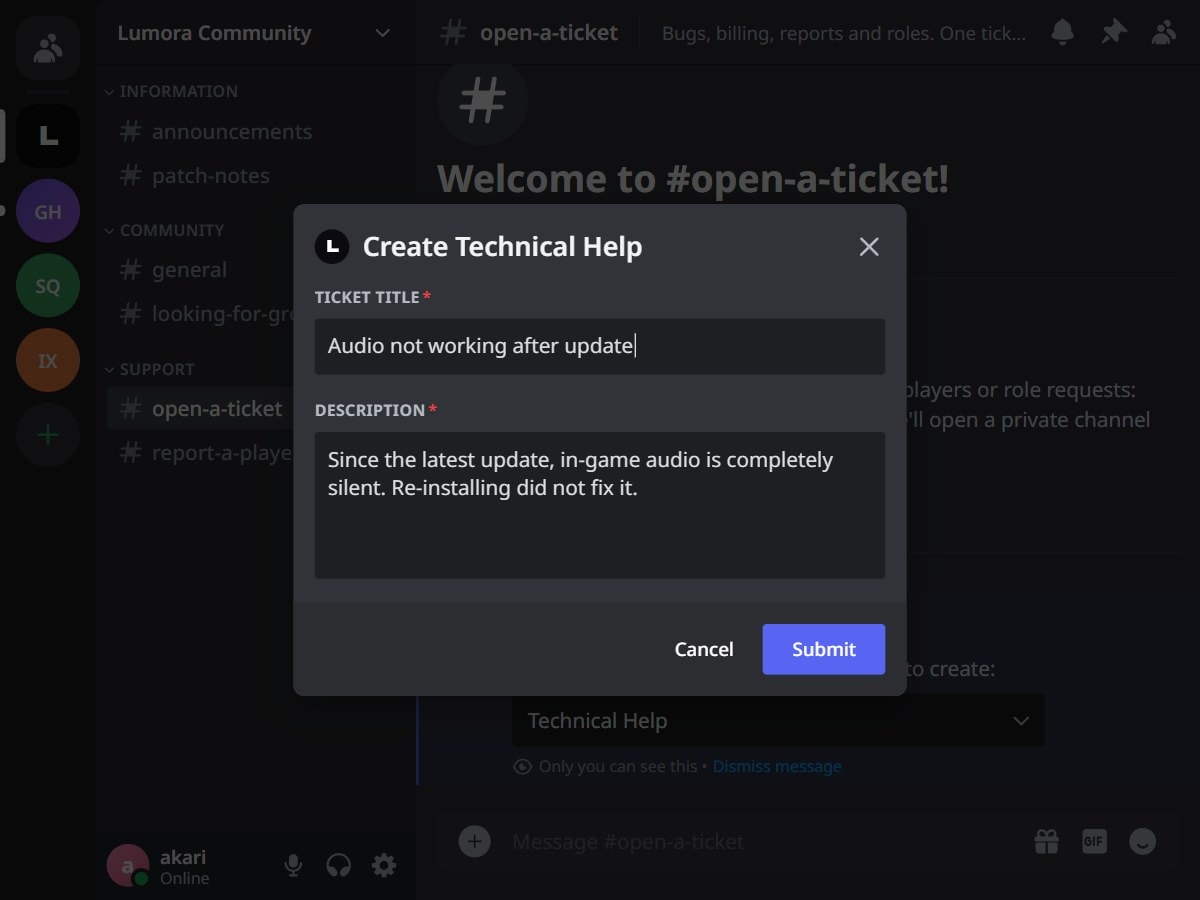
The bot posts a welcome message with an Open Ticket button in each support channel. A player picks a ticket type from a menu and adds a title and a description, and a private channel opens for them and the staff. Open and closed tickets have separate categories, and there is a limit on how many a player can have open at once.
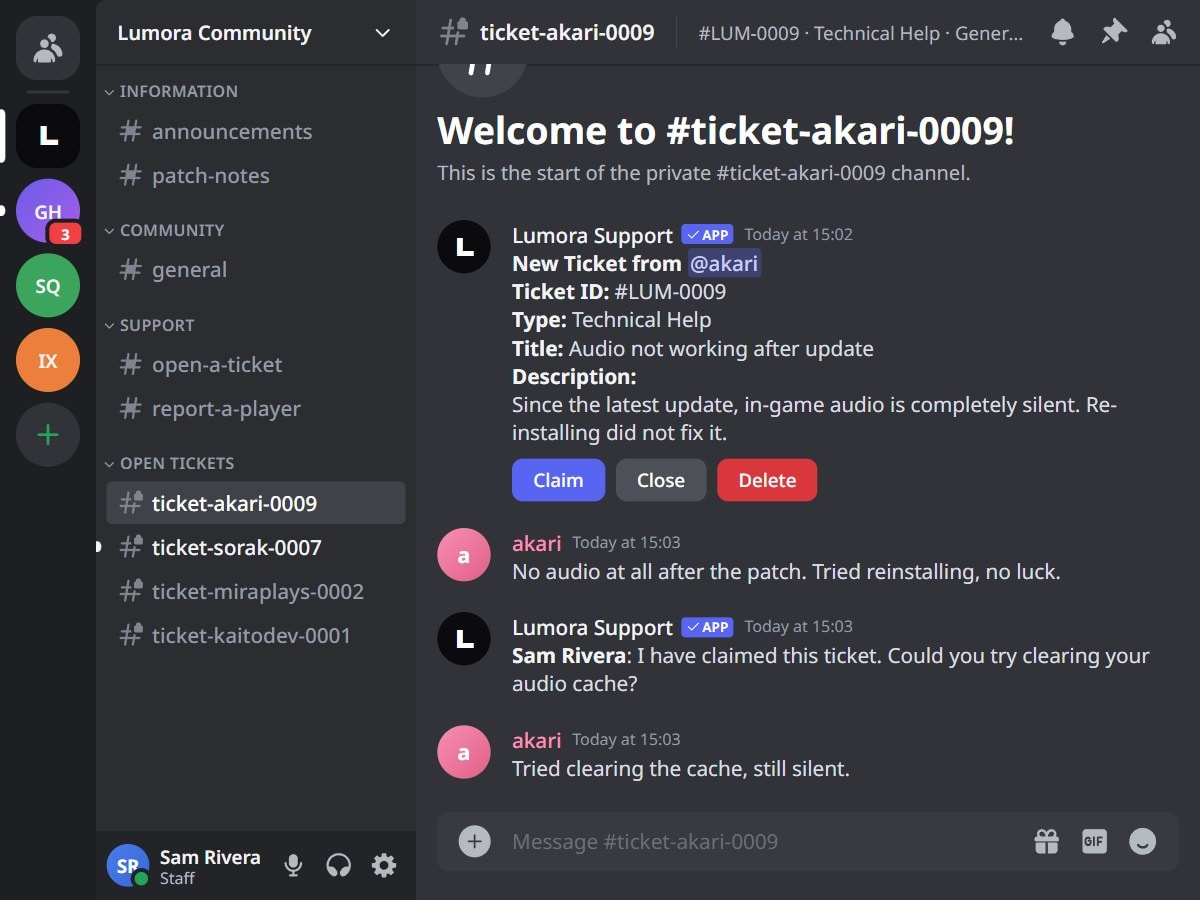
Inside the channel, the bot posts the ticket's details with Claim, Close and Delete buttons for staff. Closed tickets are archived automatically after a set number of days, and the welcome message and channel names can be customised.
The Discord views on this page are recreated from the bot's own messages, with sample data.
04The queue
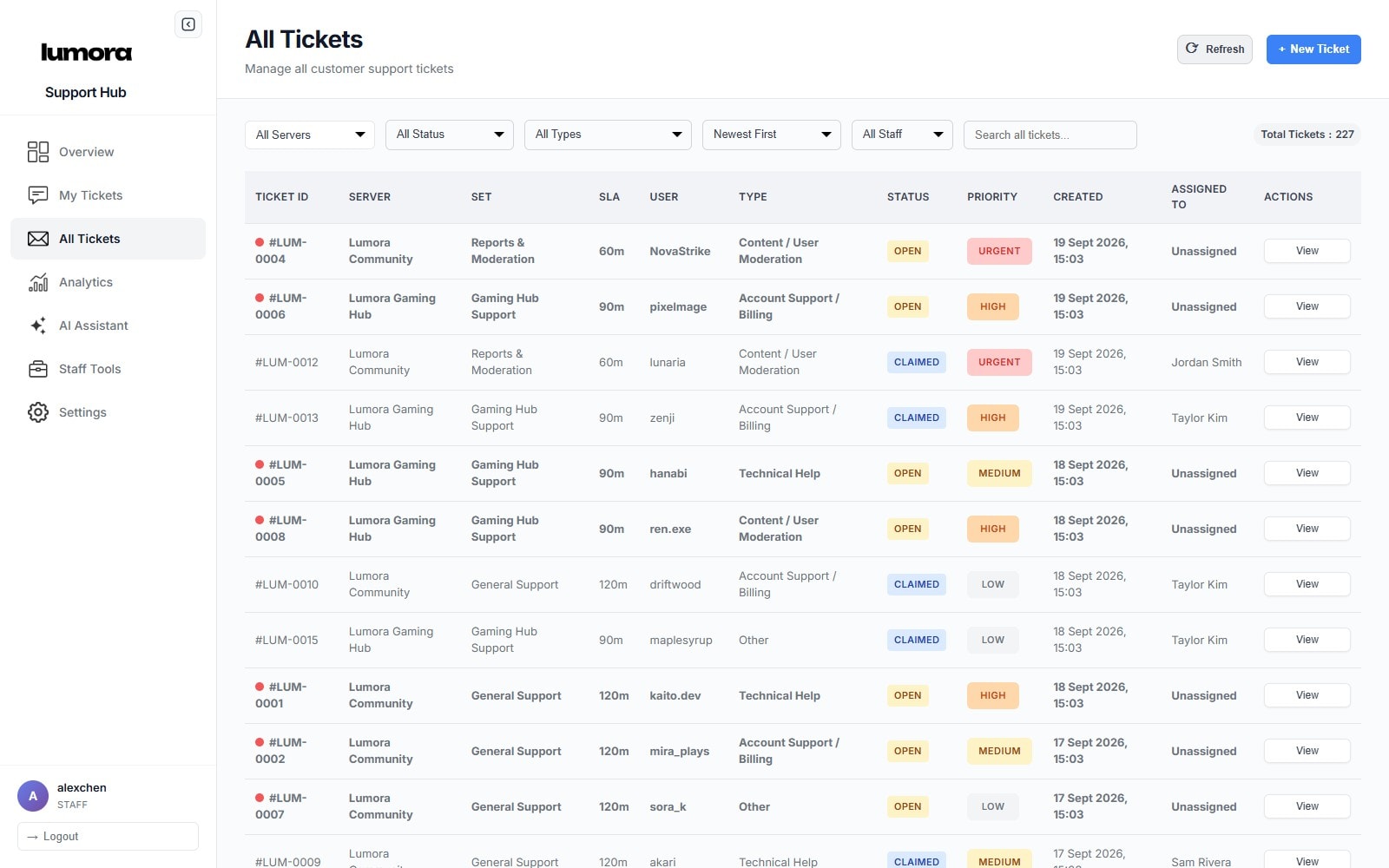
Every ticket from every server, in one list, each with an owner.
Staff sign in with Discord and see every ticket from every server, filtered by server, status, type or staff member, or found by search. They can claim, reassign, change priority, close, reopen or delete a ticket, and export its chat. Players sign in the same way to follow their own tickets or open new ones from the web.
Each server has its own bot token, encrypted at rest, plus its own staff role and categories, and ticket IDs carry a server code such as LUM-0009. Sets run several ticket panels in one server, such as General Support and Reports & Moderation, each with its own ticket types, department, SLA target, language and features. The SLA shows on every ticket.
The dashboard screenshots on this page use sample data.
05One conversation
Players write in Discord, staff reply from the web, and it stays one thread.
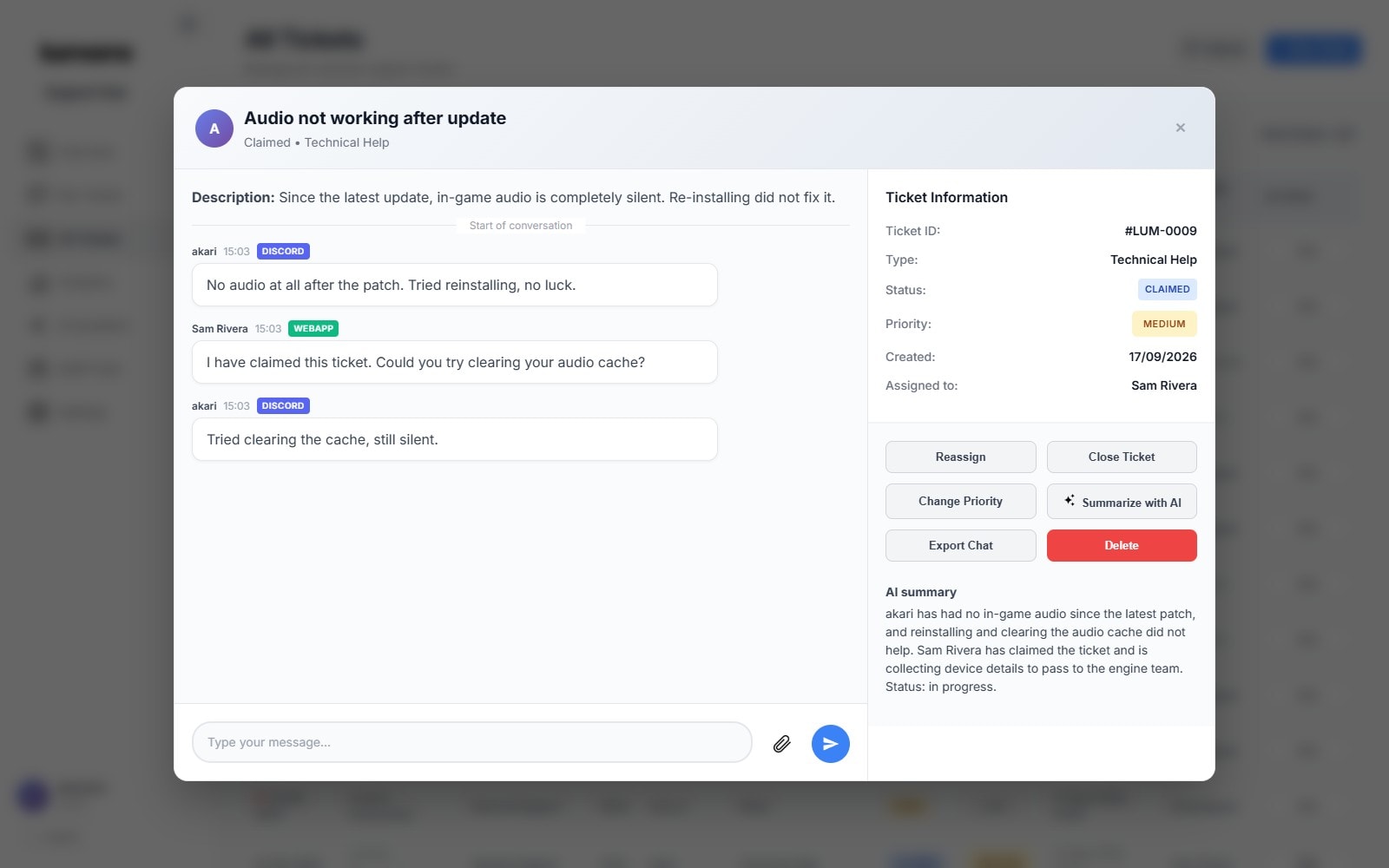
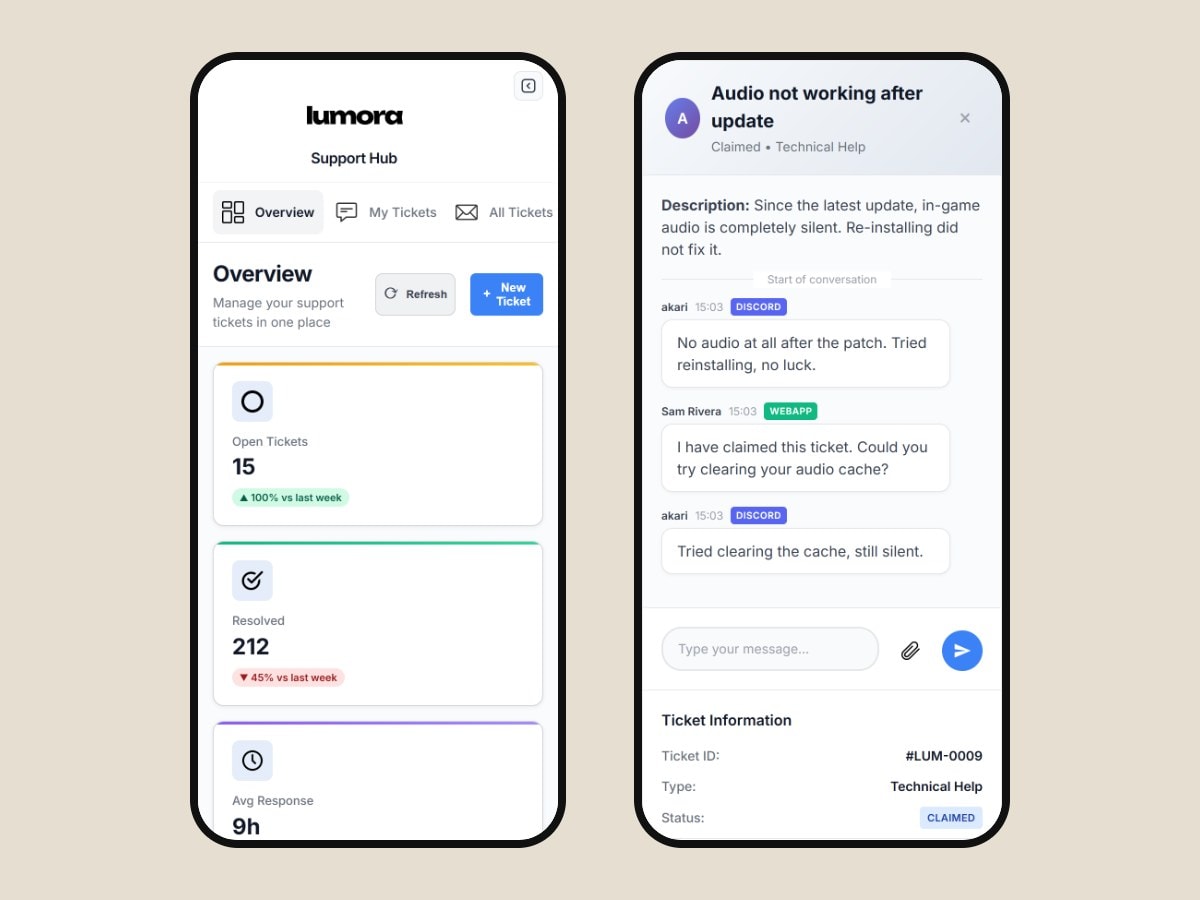
Player messages from Discord appear in the dashboard, and staff replies from the dashboard post back into the Discord channel, each tagged DISCORD or WEBAPP. Updates arrive live, and ticket actions send webhook notifications.
Summarize with AI writes a two-to-three-sentence summary of any ticket and saves it with the ticket.
06The numbers
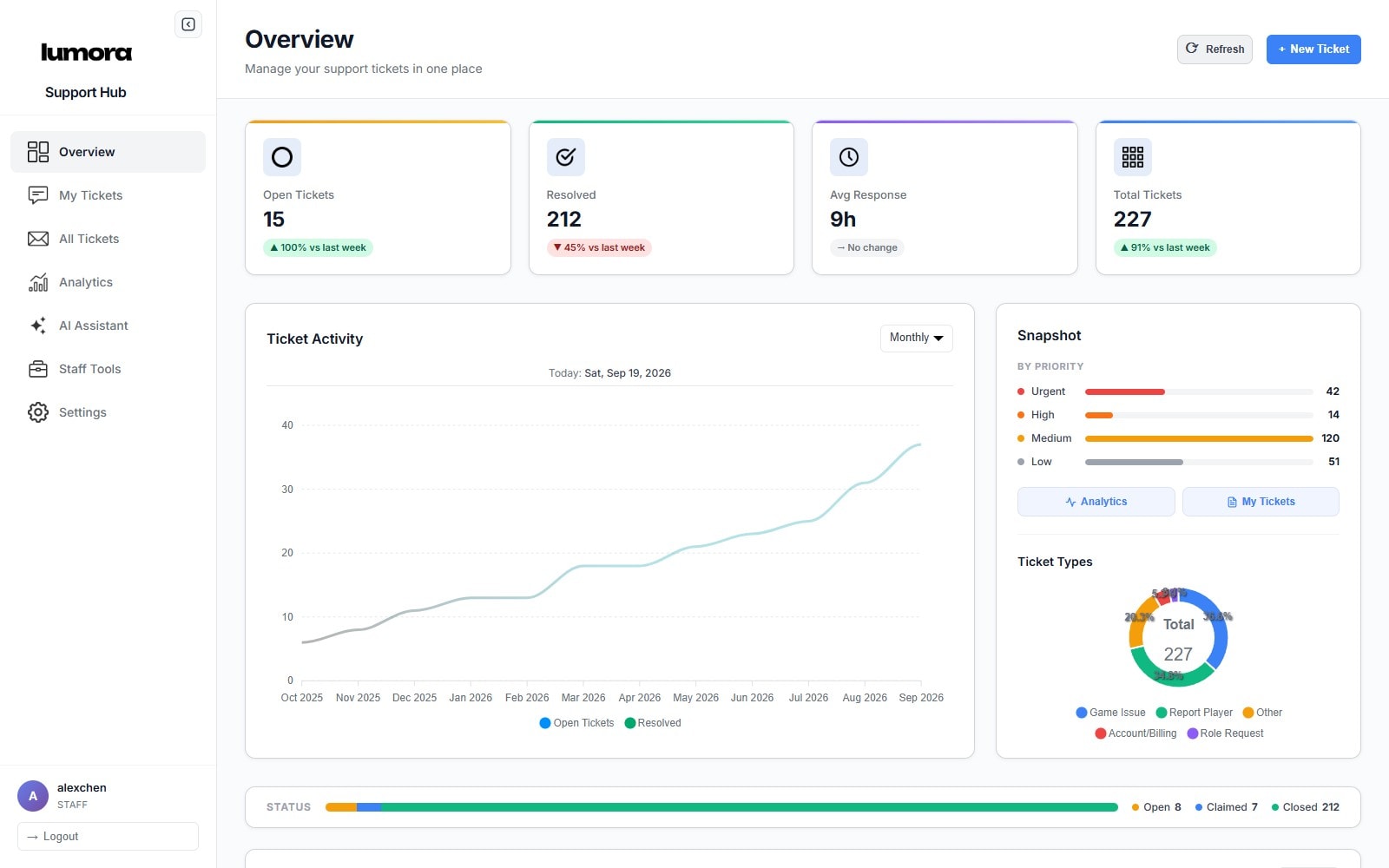
The numbers the team never had, on the first screen staff see.
The overview shows open, resolved, average response and total tickets, each with a week-on-week trend, beside a year of ticket activity and breakdowns by priority and type. Analytics go further: tickets over time, response-time trends, staff performance, ticket types and player satisfaction, since players rate each ticket once it closes. Everything exports as CSV or JSON.
07The assistant
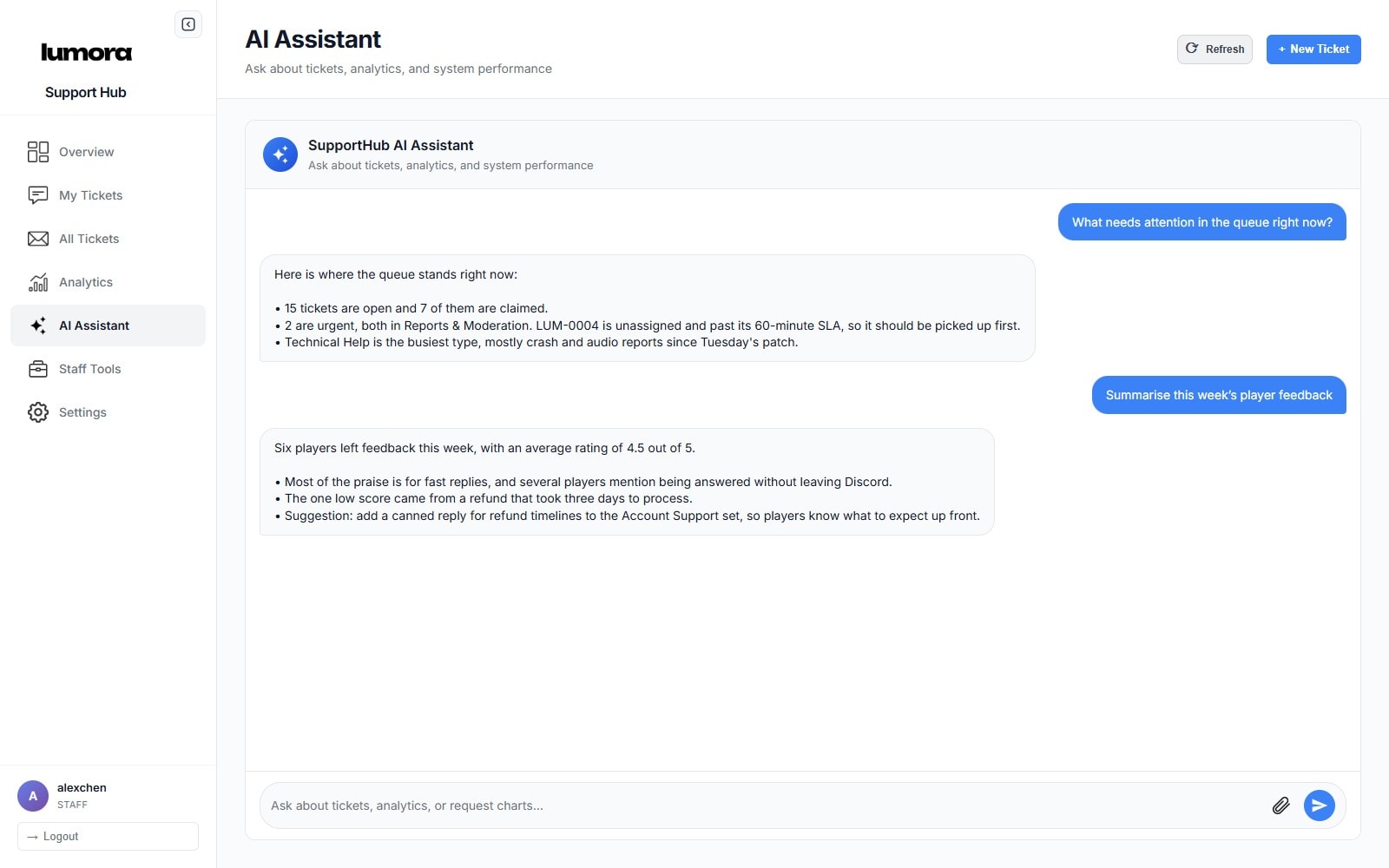
Ask the queue a question, and get a straight answer.
The staff assistant answers questions about the queue and the analytics. Its model, API key and prompt are set from Staff Tools, alongside staff permissions, personal and team notes, and server management.
08On the phone
English or Japanese, light or dark, desk or phone.
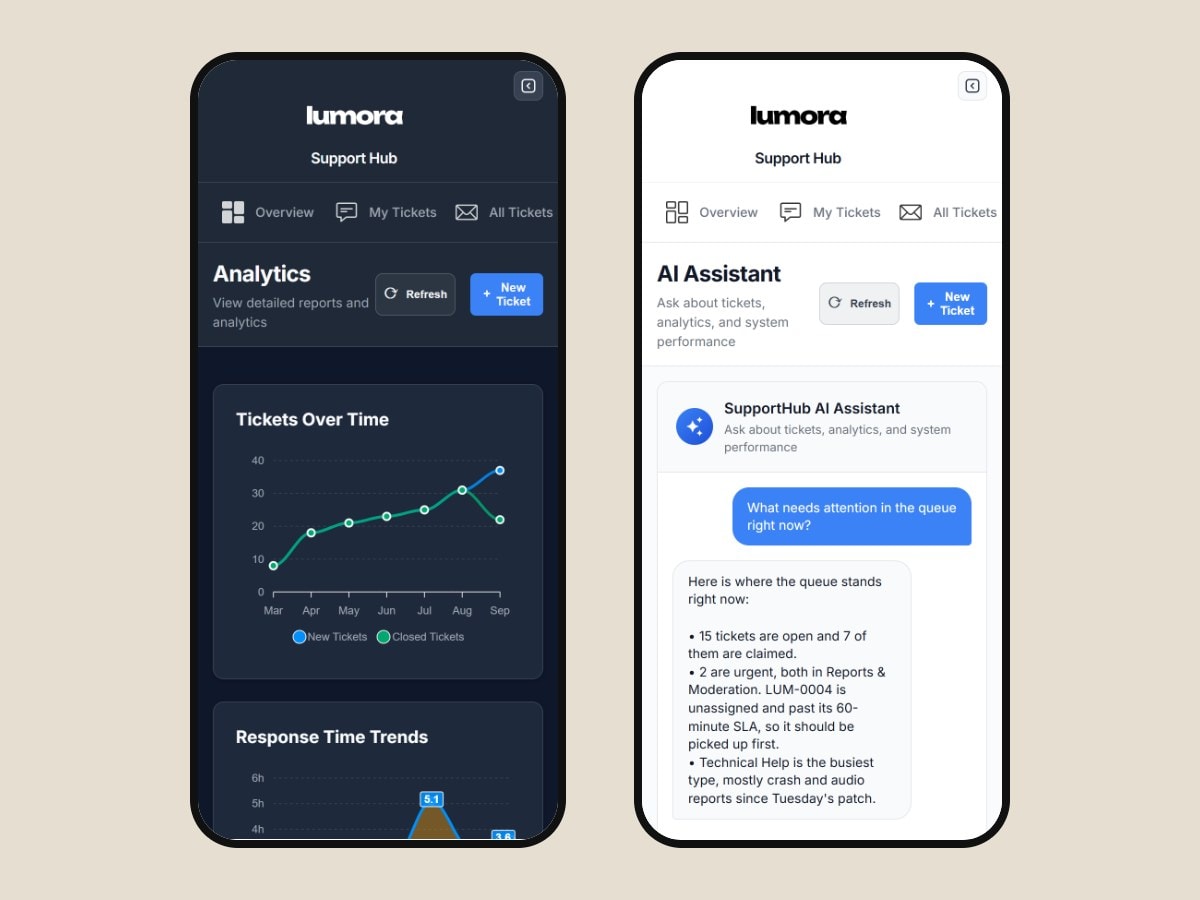
The whole dashboard works in English and Japanese, in light and dark mode, with a sidebar that collapses out of the way. It works on a phone too, so the queue goes wherever the moderators do.
09Under the hood
Fourteen weeks, 98 commits and about 60 documented endpoints.
It runs on Node.js and Express with discord.js, MongoDB and Socket.IO, draws its charts with ApexCharts, calls the OpenAI API, and is hosted on Railway. About 60 API endpoints are documented with Swagger.
The build took 14 weeks, from the first commit on 24 June 2025 to the last release on 1 October 2025, across 98 commits and 22 pull requests.
10The result
Faster answers, and one place to find them.
Moderators now work from one dashboard instead of five channels and their DMs.
- Average first response down from about a day to under three hours
- 94% of tickets closed within their set's SLA target
- Closed tickets rated 4.6 out of 5 by players on average
11In numbers
“Support used to live in forty different DMs. Now every ticket has an owner, players get answered where they already are, and I can see the whole queue at a glance.”
Want results like these?
Tell us about your business and we will show you what a project like this would look like for you.